Impact analysis in the real world
See how Jira administrators and Atlassian consultants use Impact Analysis for Jira to govern complex instances, prevent incidents, and build audit-ready change records.
Renaming a custom field used across 80 projects
Context
A Jira administrator at a 400-person company needs to rename a custom field to align with a new naming convention. The field is global, but they don't know how widely it's used.
The problem
Without analysis, renaming the field would instantly break every JQL filter that uses the old field name — across all projects, boards, and dashboards that reference it. In a 400-person company, this means dozens of broken reports and frustrated teams.
How it was solved
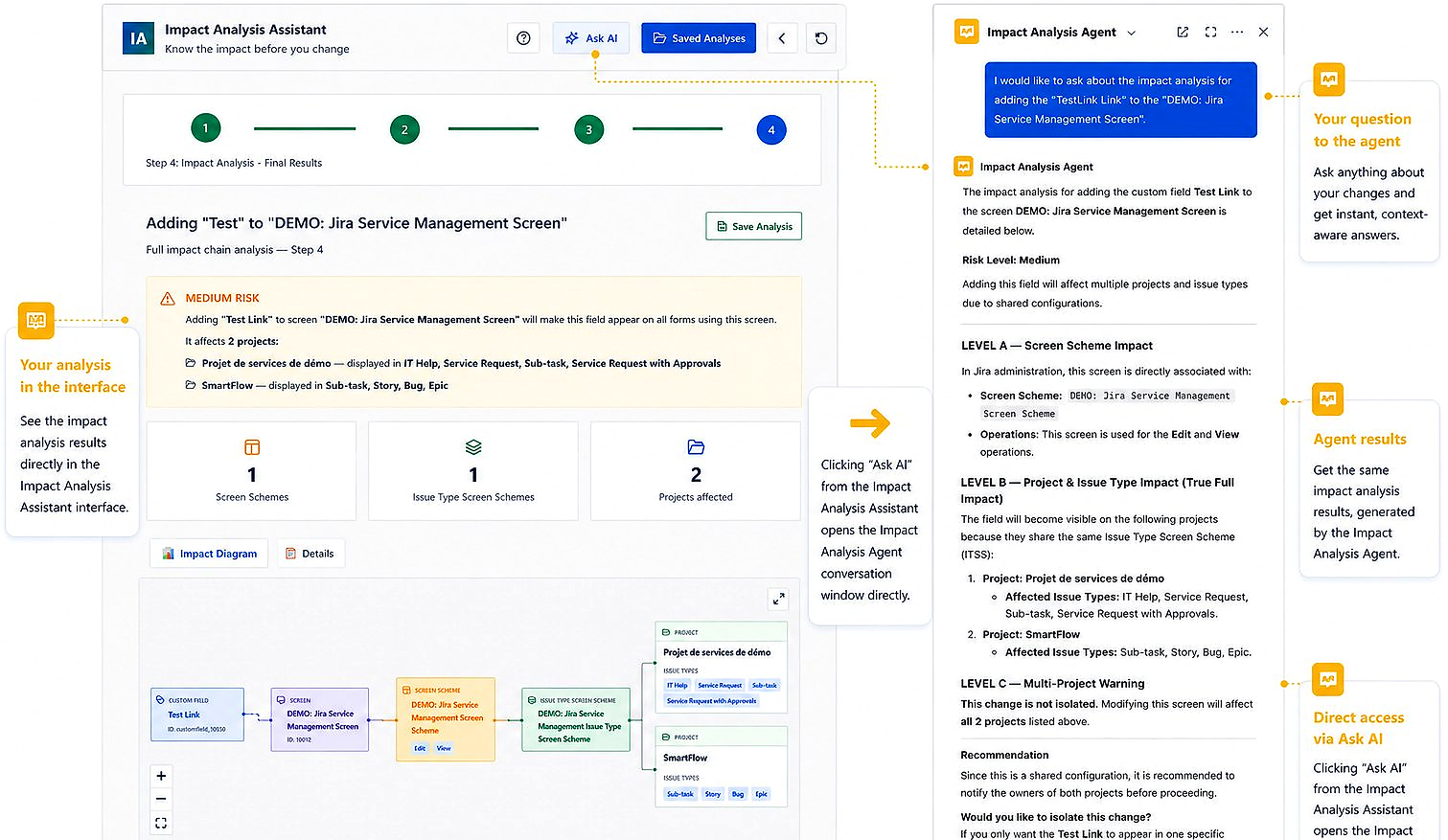
Before making any change, the administrator runs an impact analysis on the field. The report shows: 47 saved filters reference this field, 12 dashboard gadgets depend on those filters, and 3 automation rules use it in conditions. The administrator notifies the 8 team leads whose filters will be affected, schedules a maintenance window, updates the JQL in the saved filters after the rename, and re-runs the analysis to confirm 0 broken references remain.
Outcome
The rename is completed without a single support ticket. The saved analysis serves as documentation for the change management record.
Preparing for an ITSM compliance audit with full change history
Context
An Atlassian consultant managing a Jira instance for a financial services client is preparing for an ISO 27001 audit. The auditors require documentation of all configuration changes made in the past 6 months.
The problem
Jira's native audit log records that a change was made, but not what the full impact of the change was. The compliance team needs to demonstrate that configuration changes were assessed for risk before implementation — not just logged after the fact.
How it was solved
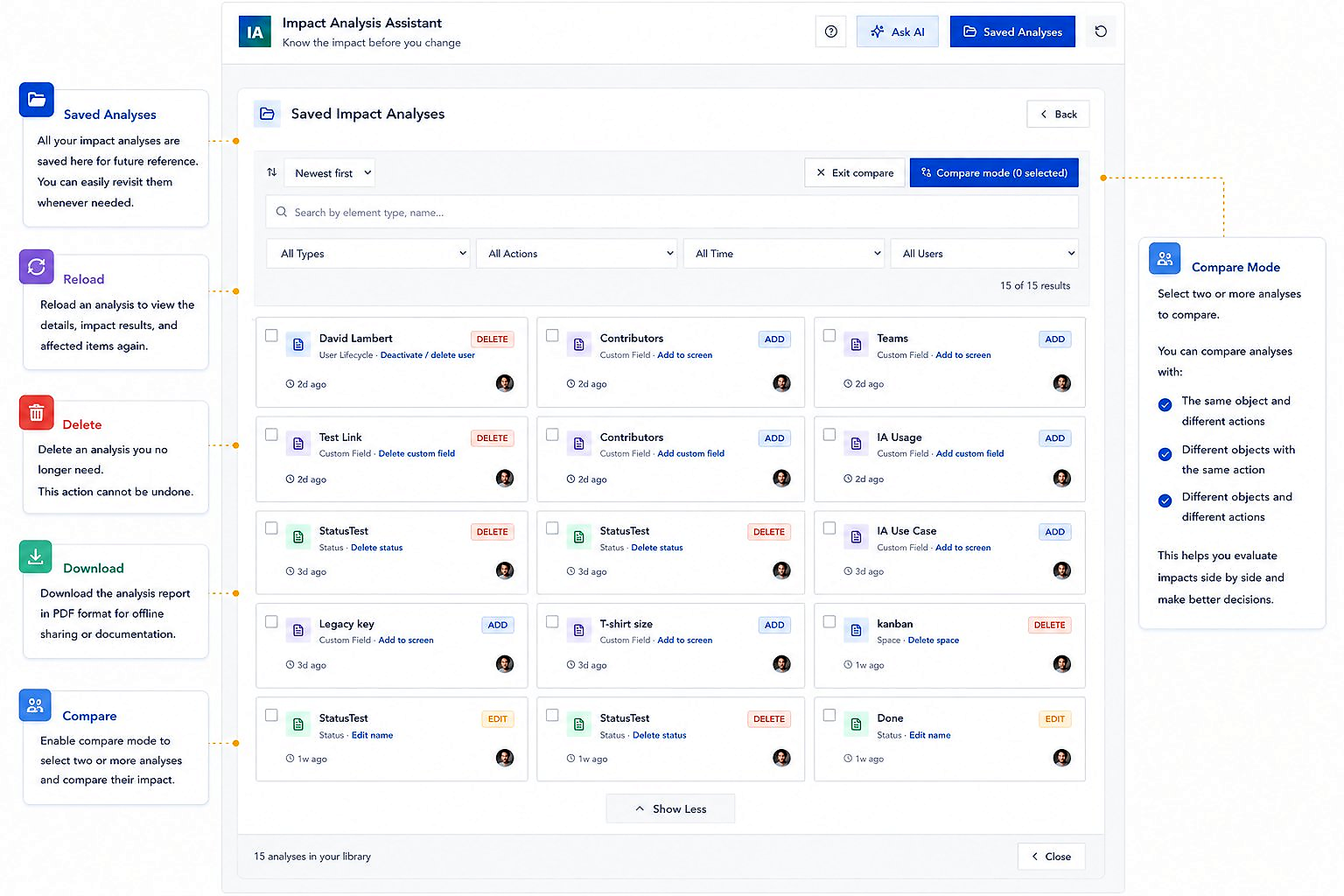
The consultant implements a process using Impact Analysis for Jira: before every Tier 2 or Tier 3 change, run an analysis and save the result. After the change, run the analysis again and save the comparison. Each saved analysis includes a timestamp, the object analyzed, and the full dependency list at the time of the scan. Over 6 months, this creates a structured history of all significant configuration decisions.
Outcome
The audit team reviews 23 saved analyses documenting major changes. The auditors confirm that the change management process meets the requirement for pre-change risk assessment. No findings in the configuration management section.
Validating a Jira Server-to-Cloud migration for a 1,200-user instance
Context
An enterprise IT team is migrating a 1,200-user Jira Server instance to Jira Cloud. The instance has 340 custom fields, 85 active projects, and hundreds of automation rules. The team has 8 weeks before the planned go-live.
The problem
The migration tooling migrates data, but it does not validate that all object relationships were preserved correctly. Broken filters, automations firing on wrong conditions, and disconnected dashboards are the most common post-migration issues. Discovering them post-migration is extremely costly.
How it was solved
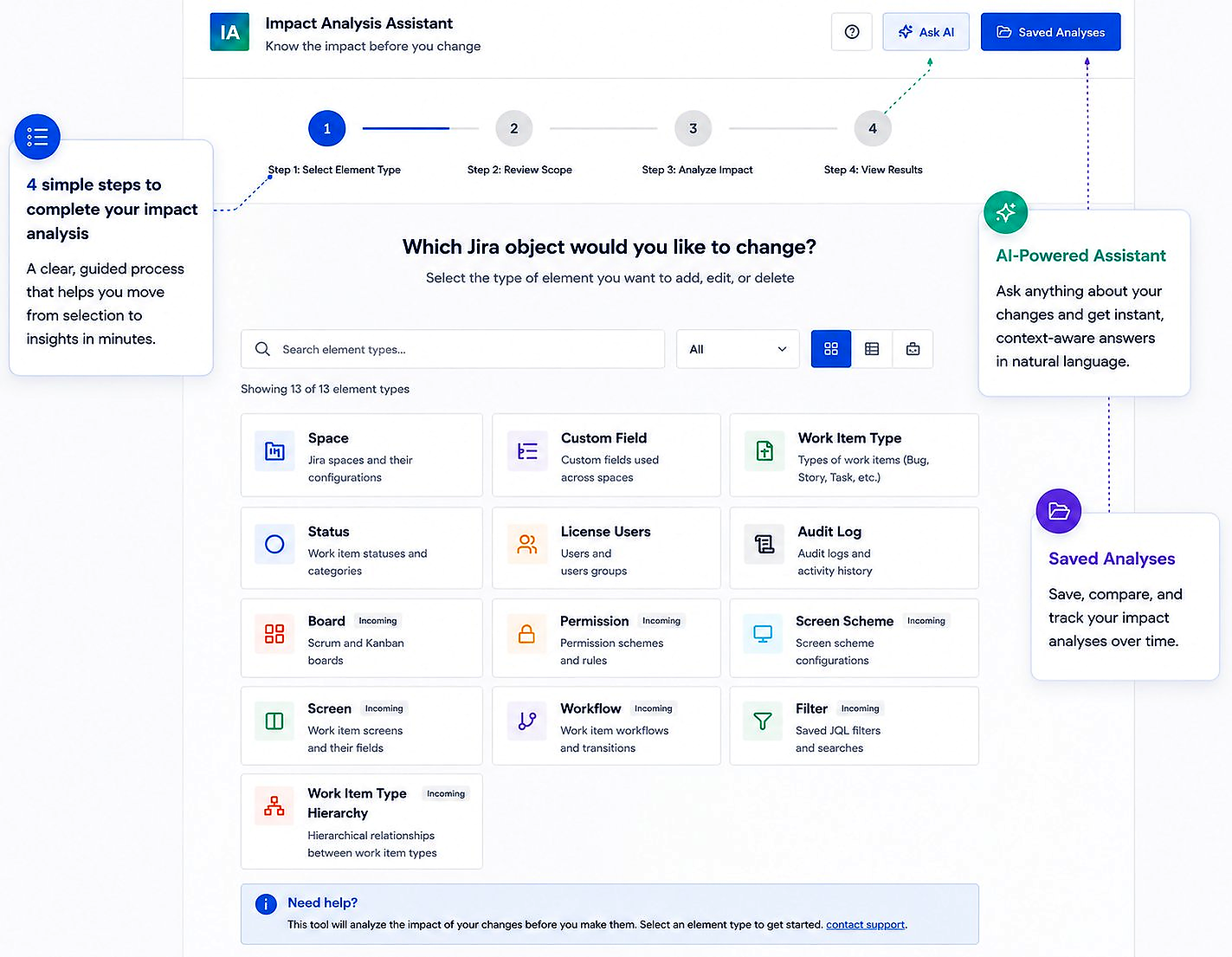
Four weeks before migration, the team runs impact analysis on every globally-scoped custom field, workflow, and permission scheme in the source instance. The reports reveal: 78 fields with broad filter dependencies that need special validation, 12 automation rules referencing workflow statuses that will be renamed during migration, and 6 dashboard gadgets referencing filters that will need to be updated. The team uses this dependency map to build their post-migration validation checklist — running the same analysis on each object in the target Cloud instance after migration and comparing the outputs.
Outcome
Migration completes with 4 post-migration issues identified and resolved within 24 hours — compared to an industry average of 15–25 issues for instances of this size. Hypercare period is cut from 4 weeks to 2 weeks.
Who uses Impact Analysis for Jira
Jira Administrators
Internal admins managing Jira for their organization. Use the plugin for day-to-day change safety and instance health maintenance.
Atlassian Consultants
External consultants managing client instances. Use the plugin to accelerate dependency analysis and produce governance-ready reports.
Enterprise IT Teams
Large organizations with complex Jira environments, ITSM requirements, and audit obligations. Use the plugin as a core part of their change management process.

Recognize your situation?
Impact Analysis for Jira addresses the most common governance challenges in complex Jira environments. Free for teams under 10 users.
Try for free on Marketplace