The complete intelligence layer for your Jira instance
Impact Analysis for Jira gives administrators the visibility they need to make configuration changes with confidence. Three capabilities. One plugin. Zero blind spots.
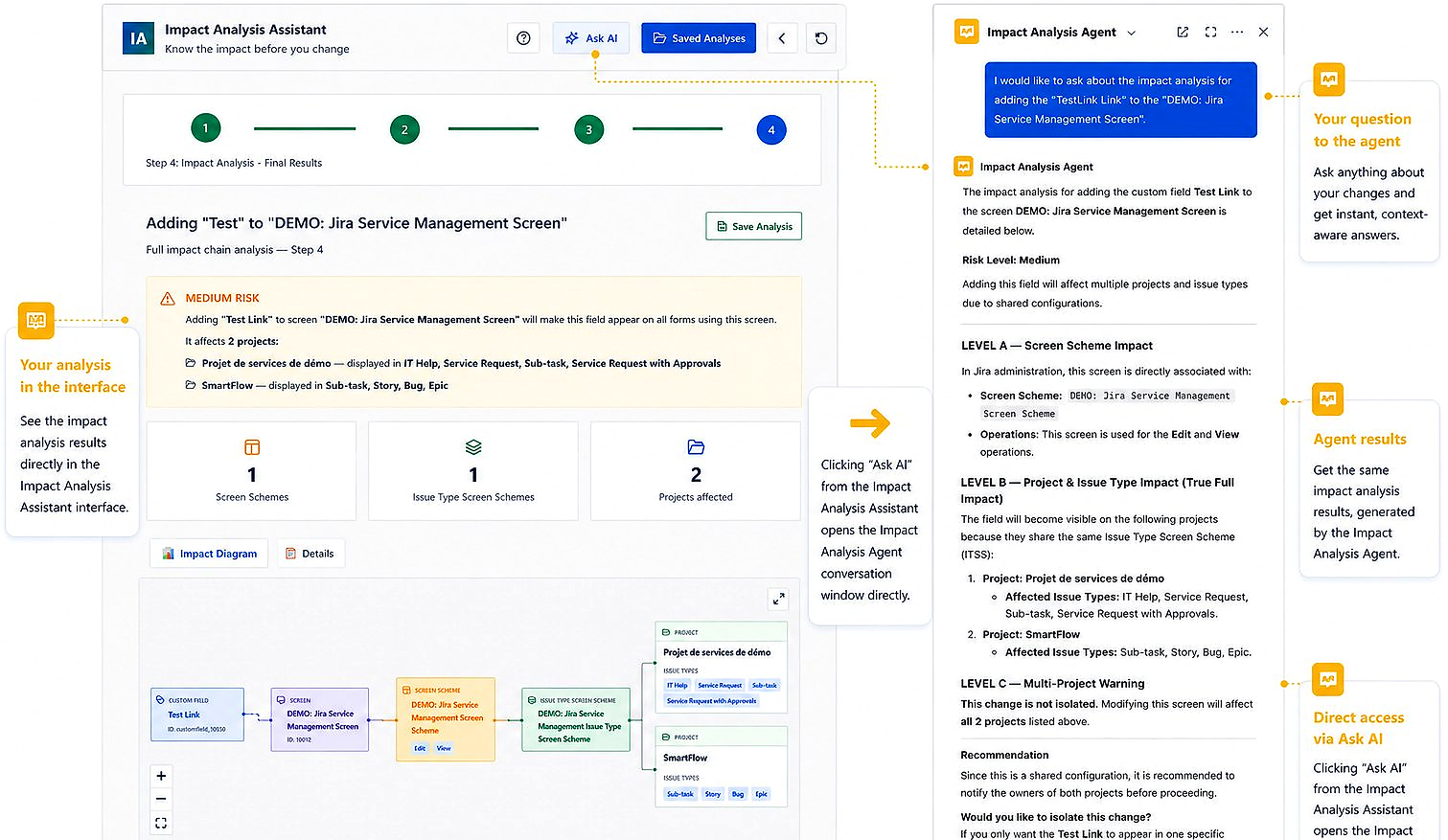
Impact Analysis
Select any Jira object and instantly get a complete dependency report — filters, dashboards, automations, boards, screens, and more. Know exactly what will be affected before you act.
- Custom fields & field contexts
- Workflow & screen schemes
- Automation rules
- Filters & dashboard gadgets
- Boards & sprints
- Permission schemes
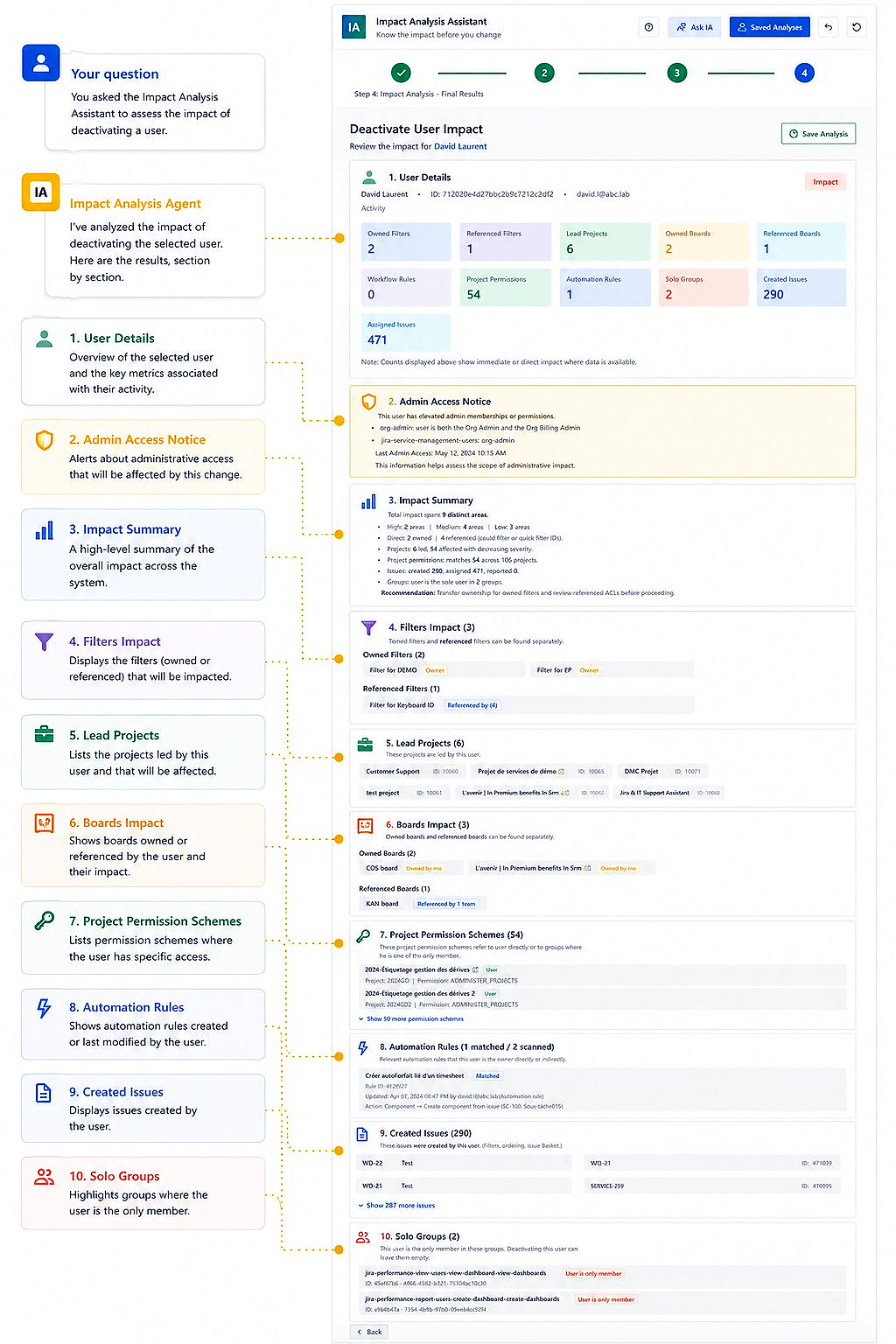
AI Admin Assistant
Ask your Jira Admin AI in plain language. Get an instant, structured impact analysis without having to navigate through the administration UI manually.
- Natural language queries
- Instant dependency reports
- Plain-language risk summary
- Affected project identification
- Actionable recommendations
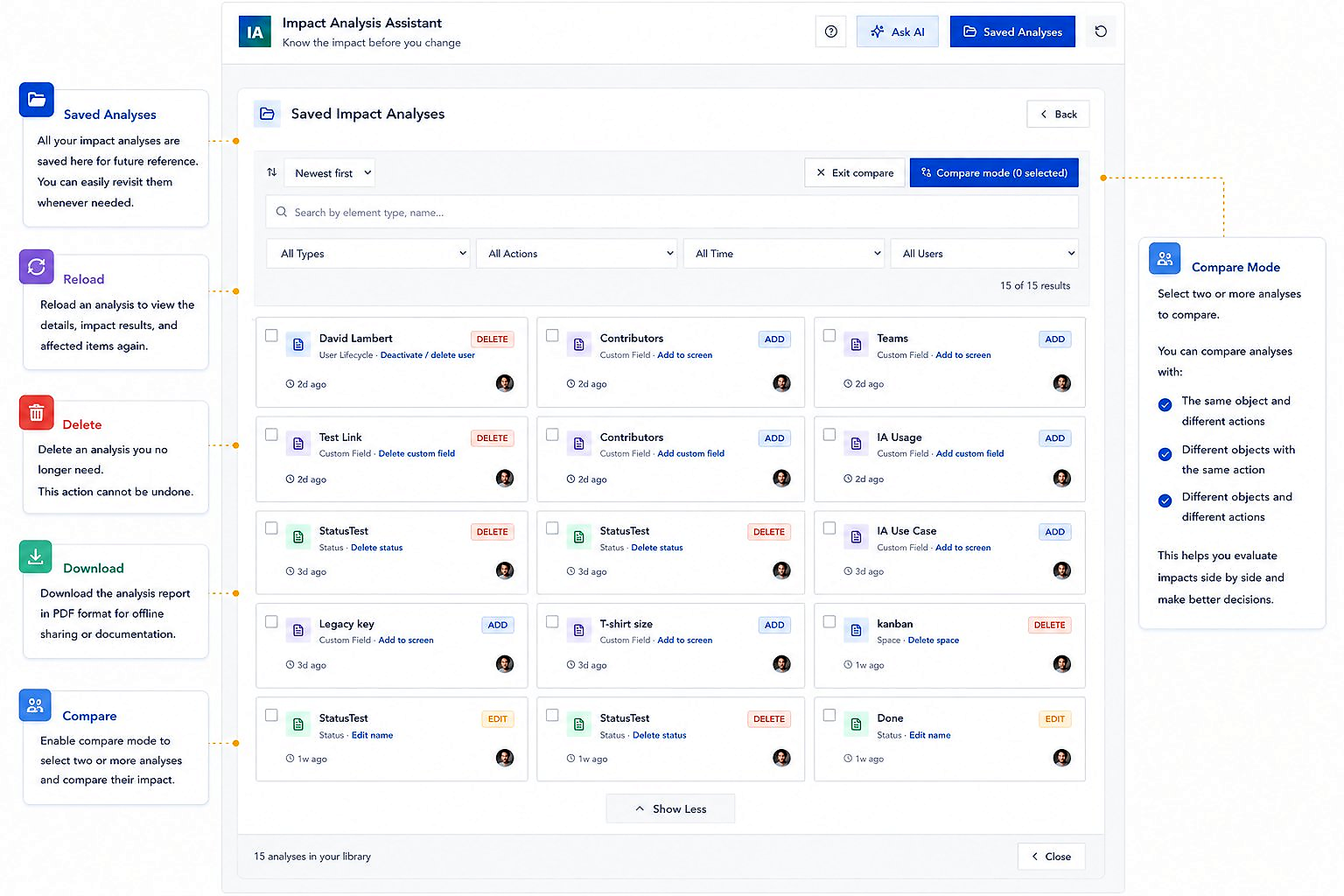
Saved Analyses
Save every analysis with a name and timestamp. Run an analysis before your change, run it again after, and compare side-by-side to verify that no unintended regressions were introduced.
- Pre- and post-change comparison
- Full audit trail
- Governance-ready reports
- Searchable history
- Team-level visibility
What you can analyze
Impact Analysis for Jira covers the full range of Jira Cloud configuration objects. Select any object type and get an instant dependency report.
Custom Fields
Map all filters, dashboards, and automations that reference a field.
Workflows
Identify every project and automation rule connected to a workflow or status.
Screen Schemes
Understand which issue types and projects share a screen configuration.
Permission Schemes
See which projects are affected before modifying access rules.
Automation Rules
Detect rules that reference the objects you plan to change.
Boards & Sprints
Understand board column mappings and sprint configurations before restructuring.
Filters & Dashboards
Track JQL filter usage across subscriptions, gadgets, and reports.
Issue Types & Schemes
Map issue type scheme dependencies before restructuring your project setup.
Built for security-conscious teams
Impact Analysis for Jira is built on the Atlassian Forge platform. All processing happens inside your Atlassian Cloud environment. Your configuration data never leaves your instance. Stable Point IO does not have access to your Jira data.
Forge-native
Runs entirely inside the Atlassian Cloud sandbox.
No data egress
Your Jira data never leaves your instance.
Read-only scans
Analysis never modifies your Jira configuration.
Seamlessly integrated into Jira
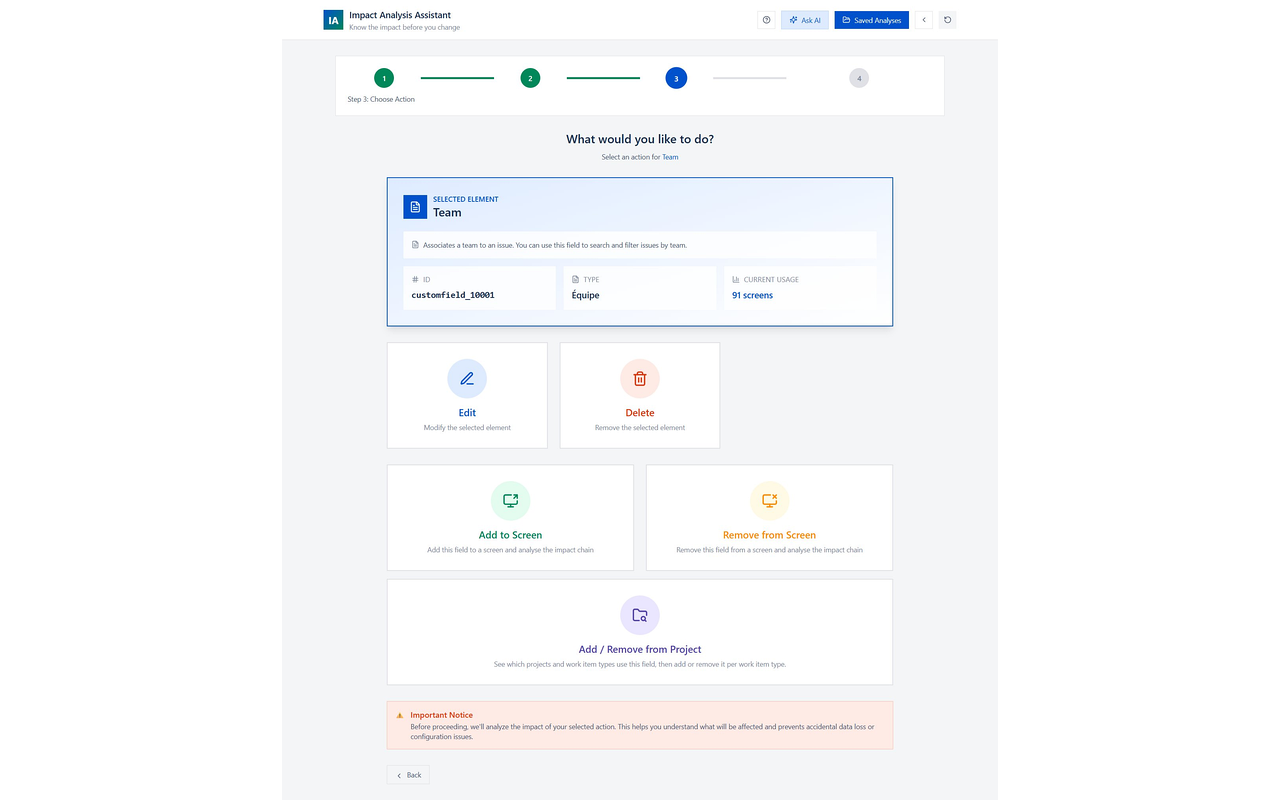

Ready to protect your Jira instance?
Free for teams under 10 users. Install in minutes from the Atlassian Marketplace — no setup required.
Try for free on Marketplace