Jira Custom Field Management: How to Clean Up Without Breaking Everything
Custom field sprawl is one of the most reliable indicators of a Jira instance in governance trouble. What starts as a few project-specific fields inevitably grows into hundreds of partially used, duplicated, or entirely abandoned fields — each one a potential source of confusion, performance degradation, and configuration risk.
A typical Jira Cloud instance with more than 500 users has between 200 and 600 active custom fields. Of those, 30–40% are used by fewer than 5% of issues. Cleaning up this technical debt is one of the highest-value operations a Jira administrator can perform — and also one of the most dangerous if done without proper analysis.
Why custom field sprawl happens
Custom fields accumulate because Jira makes it easy to create them and difficult to remove them safely. Every team that wants to capture a new data point — a priority tier, a deployment flag, a customer segment — typically creates a new field rather than reusing an existing one. Over time, similar fields multiply: “Customer Tier,” “Client Tier,” “Account Tier,” and “Customer Level” all coexist, capturing roughly the same information in different formats.
The real cost of unused custom fields
“Unused” rarely means “unreferenced.” A field that has not been filled in for two years may still appear in 40 saved filters, be referenced in 15 automation rules, and power 3 gadgets on executive dashboards. Deleting it without checking will immediately break all of these — silently, in many cases.
Beyond correctness, unused fields have a measurable performance impact. Every field adds overhead to issue indexing and search. Fields that appear on screens where they are never filled in increase page load time and create cognitive noise for users.
A safe custom field cleanup process
Step 1: Audit your field inventory
Start with a complete list of all custom fields in your instance, including field name and type, which contexts it belongs to (global vs. project-specific), which issue types it appears on, and the last modification date.
Step 2: Run dependency analysis before touching anything
Before marking any field for removal, run a full dependency scan. You need to know which saved filters include this field in JQL queries, which dashboards reference those filters, which boards are configured to display this field, which automation rules reference this field in conditions, triggers, or post-functions, and whether this field is used in any reports or external BI integrations.
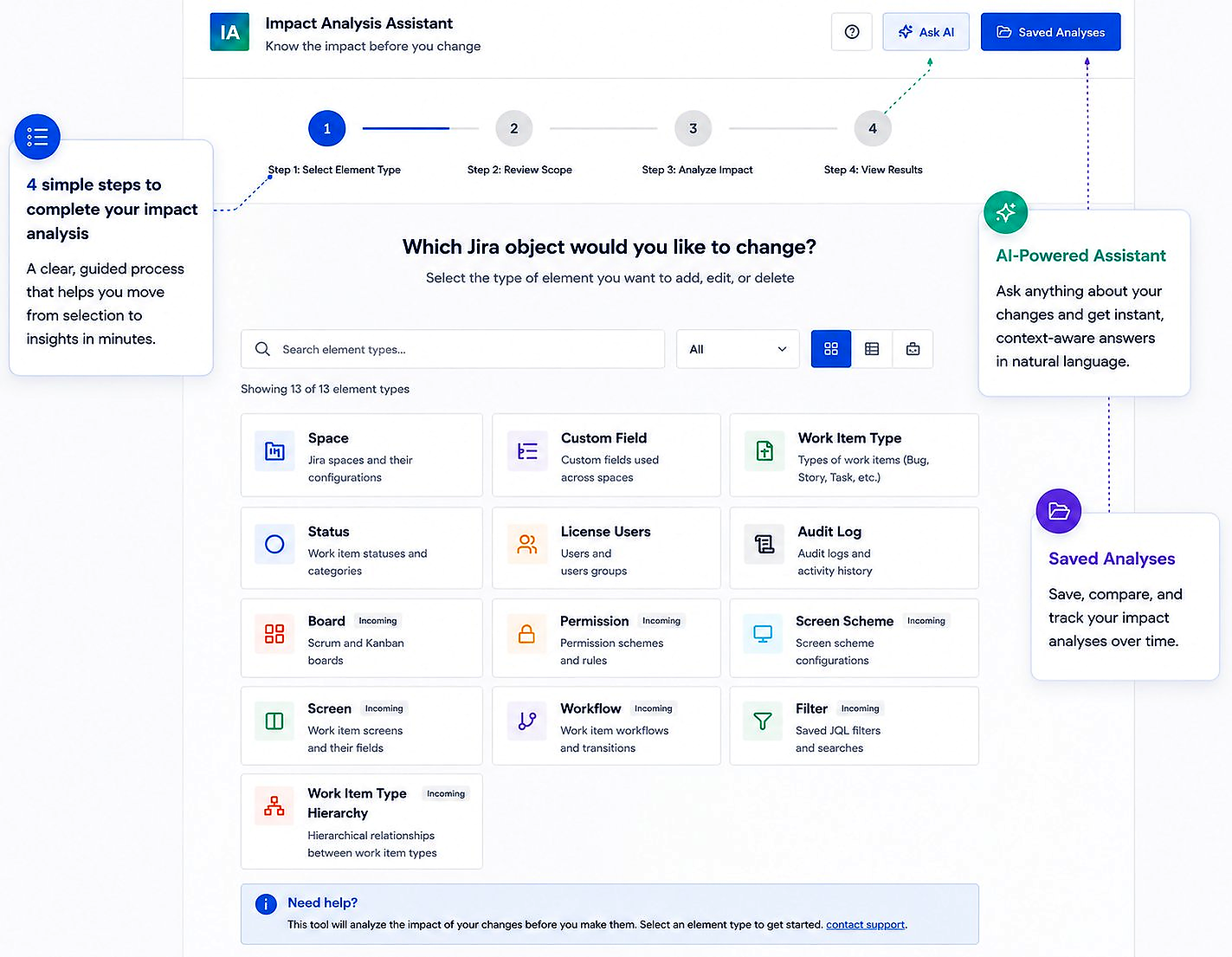
This is the step most administrators skip — and the step that causes incidents. Impact Analysis for Jira automates this dependency mapping. Select the field, run the analysis, and you immediately see every element that depends on it before you make any decision.
Step 3: Classify fields by risk
After the dependency scan, classify each field:
- Safe to remove: 0 active references, 0 issues with a value in this field in the past 12 months.
- Consolidate first: Multiple fields serving the same purpose. Migrate data to the canonical field, then remove the duplicates.
- Coordinate before removing: Referenced in active filters or automations owned by specific teams. Notify the owners before proceeding.
- Do not touch: Referenced in governance-critical reports, executive dashboards, or SLA calculations.
Step 4: Communicate before acting
For any field that appears in team-owned filters or automations, communicate the planned removal at least 2 weeks in advance. Give teams time to update their queries or flag dependencies you may have missed.
Step 5: Remove in batches and verify
Never remove more than 10–15 fields in a single operation. Remove, verify that nothing has broken by re-running the analysis on related objects, then proceed to the next batch. This limits blast radius.
Governance policies to prevent future sprawl
- Establish a field request process. Require teams to check for existing fields before creating new ones.
- Create a naming convention. Consistent naming makes it easier to identify project-specific vs. global fields.
- Set a quarterly field review. Recurring review of usage metrics catches unused fields before they become deeply embedded.
- Use project-scoped contexts. When a field is only relevant to one project, scope it accordingly to limit future blast radius.
Custom field cleanup is essential Jira administration hygiene. Done well, it improves performance, reduces cognitive load, and makes future changes safer. The key is never removing a field without first understanding everything that depends on it.